
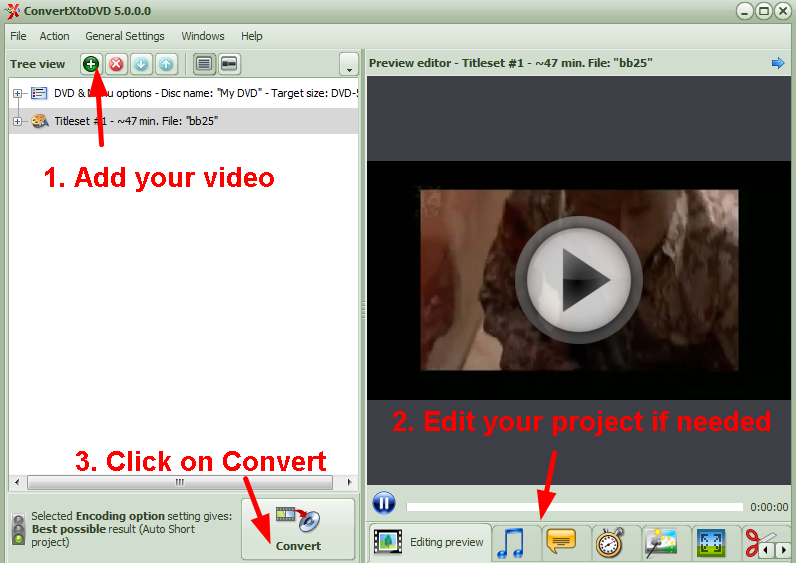
Quick start guide - basic conversion
If you're not an advanced user and/or simply want to convert a video (or more) to DVD without any editing, then simply:
1) Insert your files into software (drag and drop or use the green cross button to browse your file(s).)
1b) Optional: if you click on the titleset, the preview window will show on the right: you can chek the video by clicking on the "play" icon in the middle of the screen. The tabs under this preview lead to most available editing options. More about these options below under 'Overview of editing function in tabs'
2) Insert a blank DVD if you wish to burn your conversion straight to DVD
3) Press "Convert".
You're all set!
Download Mirror:


